


Mastering WhatsApp Web: Features, Security, and How to Maximize Your Experience
WhatsApp has become one of the most widely used communication tools worldwide, revolutionizing how we connect with friends, family, and businesses. With the introduction of WhatsApp Web, users now have the flexibility to manage their messages and groups directly from their computers. Whether you’re looking to streamline your communications for business or personal use, WhatsApp Web provides a simple and efficient interface that allows for seamless integration.
But WhatsApp Web is not just about chatting—it offers a host of features designed to improve security, enhance user experience, and integrate with other devices. In this comprehensive guide, we’ll cover everything you need to know about WhatsApp Web, including how to download WhatsApp, log in to WhatsApp Web, manage WhatsApp groups, and use the latest features like linked device activity monitoring alerts and WhatsApp Business.
What is WhatsApp Web and How Does it Work?
Understanding WhatsApp Web
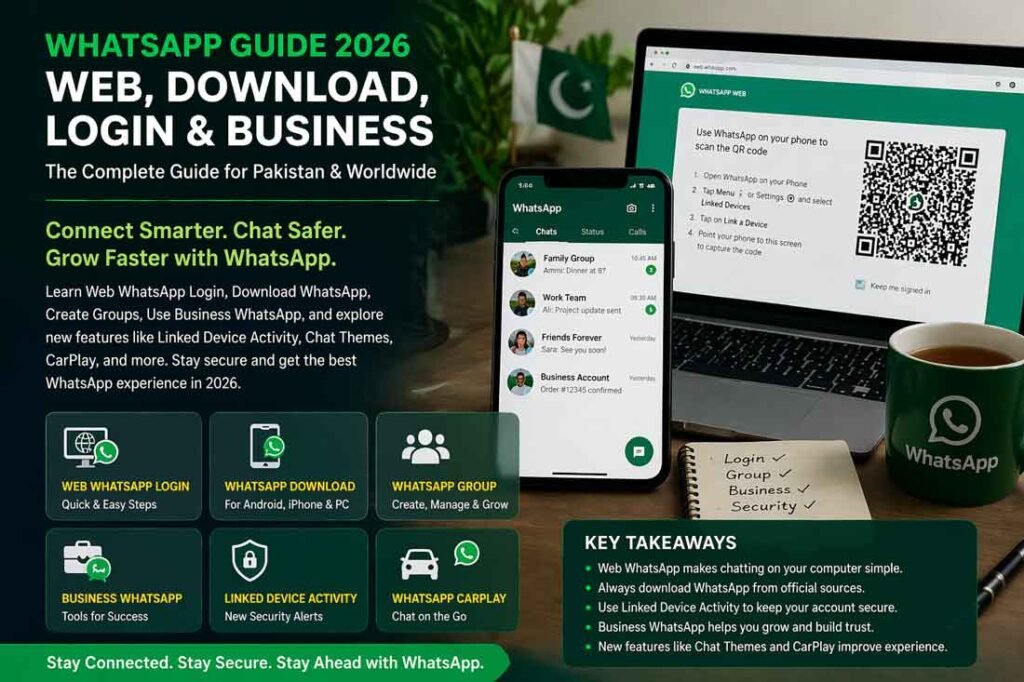
WhatsApp Web allows users to connect their mobile WhatsApp account to a computer’s browser. The web.whatsapp.com website syncs your mobile device with your desktop, providing access to your chats, photos, videos, and more, without needing to pick up your phone.
By scanning a QR code from your mobile app, your phone and computer are linked, making it easy to send messages, make calls, or update your status from your computer. This is especially helpful for businesses and remote teams who rely on constant communication while working.
How to Download WhatsApp and Log In to WhatsApp Web
Before you can use WhatsApp Web, you need to have the WhatsApp app installed on your smartphone. Here’s how you can set up WhatsApp Web on your device:
- Download WhatsApp:
- For Android and iPhone: Download the WhatsApp app from Google Play Store or the Apple App Store.
- For Web Usage: Visit web.whatsapp.com on your computer.
- Scan the QR Code: Open WhatsApp on your phone, go to Settings > Linked Devices > Link a Device. Then, scan the QR code that appears on the web page.
- Start Messaging: Once the QR code is scanned, you’ll have access to all your WhatsApp chats directly from your computer.
Key Features of WhatsApp Web
1. WhatsApp Web Chat Themes
For those who want a personalized touch, WhatsApp Web offers customizable chat themes. You can change the background of your chats, choosing from the default themes or uploading your own. This adds a bit of personality to your WhatsApp experience, making it not just functional but also aesthetically pleasing.
- How to Change Chat Themes: To change the theme, click on the three-dot menu in WhatsApp Web, select Settings, and then go to Chat Settings. Here, you can choose from several themes and even set a custom wallpaper.
2. WhatsApp Linked Device Activity Monitoring
WhatsApp’s latest security update introduced Linked Device Activity Monitoring, which adds an additional layer of security for your account. This feature allows you to receive alerts when a new device is linked to your account. It’s a great tool to track unauthorized access and ensure your messages remain secure.
- Why This Matters: With the growing risks of cyber threats and hacking, this feature helps you stay on top of your account’s security and ensures that only you have access to your chats.
3. WhatsApp Business Features
For businesses looking to streamline customer communication, WhatsApp Business offers a variety of tools designed for customer service, marketing, and support. WhatsApp Business allows companies to set up automated responses, manage contacts more efficiently, and offer an easy-to-use platform for customer inquiries.
- WhatsApp Business vs. Personal WhatsApp: The main difference lies in the business features. For example, businesses can create a business profile, set working hours, and add a catalog of products or services.
- WhatsApp Business API: This API allows larger businesses to integrate WhatsApp into their CRM systems and send messages to customers automatically.
4. WhatsApp Group Management
Creating and managing WhatsApp Groups has never been easier. Whether for work teams, family chats, or social circles, WhatsApp’s group chat functionality is robust. Here’s how you can manage WhatsApp groups effectively:
- Add or Remove Members: As an admin, you can add or remove members at any time.
- Group Settings: Admins can control who can send messages in the group, limiting it to just admins if needed.
- Group Themes and Icons: Personalize group chats with custom icons and themes, making them easy to identify.
WhatsApp Web: New Features and Updates
WhatsApp Adds Linked Device Activity Monitoring Alerts to Improve Security
The latest WhatsApp update introduces a new security feature: Linked Device Activity Monitoring Alerts. This is particularly useful for users who want to track when new devices are linked to their account. WhatsApp linked device activity allows you to keep a check on any suspicious activity.
- How to Set Up Alerts: Go to WhatsApp Settings on your phone, navigate to Linked Devices, and enable alerts for new devices linked to your account. This ensures that you’re immediately notified whenever an unfamiliar device gains access to your account.
WhatsApp CarPlay App Release
For those who spend a lot of time in the car, WhatsApp CarPlay is a game-changer. This app integration allows users to send and receive messages using Apple’s CarPlay system, ensuring you stay connected without taking your hands off the wheel. The app integrates seamlessly with your vehicle’s display, giving you full control over your WhatsApp messages while driving.
- How to Use WhatsApp on CarPlay: Simply connect your iPhone to your car’s CarPlay system, and the WhatsApp icon will appear on the screen. From there, you can listen to and send messages using voice commands.
WhatsApp Web Login: Logging in from Multiple Devices
One of the standout features of WhatsApp Web is the ability to log in from multiple devices. Whether you’re on a laptop or desktop computer, you can use the same WhatsApp account without needing your phone. This flexibility allows for better productivity, especially for professionals who need constant communication.
- How to Log In to WhatsApp Web on Multiple Devices: To log in, go to web.whatsapp.com and scan the QR code with your phone. You can now use WhatsApp on multiple devices without interruptions.
Security and Privacy on WhatsApp Web
WhatsApp takes privacy seriously. All messages sent through WhatsApp Web are end-to-end encrypted, ensuring that no one can read your messages except the sender and receiver. Additionally, the latest security updates ensure that your data remains protected even when using multiple devices.
WhatsApp Security Tips
- Two-Step Verification: Enable two-step verification to add an extra layer of security to your WhatsApp account. This will require a PIN to access your account, even if someone has access to your phone.
- Logout from Devices: If you’ve used WhatsApp Web on a public or shared computer, ensure you log out after using it. You can log out from all devices via WhatsApp Settings > Linked Devices.
Key Takeaways
- WhatsApp Web provides a seamless way to access your WhatsApp account from a computer, with easy login options and full chat functionality.
- WhatsApp Business is a powerful tool for businesses, allowing you to automate customer support and manage large volumes of communication.
- Security features like Linked Device Activity Monitoring Alerts ensure that your WhatsApp account stays protected from unauthorized access.
- WhatsApp Groups and customizable chat themes offer a personalized and organized approach to communication.
Conclusion
WhatsApp Web is an essential tool for both personal and professional use. From its integration with WhatsApp Business to the latest security features, it offers a comprehensive solution for staying connected and organized. As WhatsApp continues to evolve, the platform’s innovative updates, such as WhatsApp CarPlay and linked device activity monitoring, ensure it stays ahead of the curve.
Whether you’re managing a WhatsApp group, exploring business features, or just enjoying the convenience of WhatsApp Web, this platform is undoubtedly a must-have for anyone looking to enhance their messaging experience.
FAQs
- What is WhatsApp Web and how does it work?
WhatsApp Web allows you to access your WhatsApp account from a computer by scanning a QR code on the web.whatsapp.com website. - How do I log in to WhatsApp Web?
To log in, visit web.whatsapp.com, scan the QR code with your phone, and sync your device with the web interface. - What are the new WhatsApp features for security?
WhatsApp now offers Linked Device Activity Monitoring Alerts, allowing users to track new devices linked to their accounts. - What is WhatsApp Business used for?
WhatsApp Business helps businesses interact with customers, set up automated messages, and manage contacts and inquiries efficiently. - Can I use WhatsApp Web on multiple devices?
Yes, you can log into WhatsApp Web on multiple devices by scanning the QR code from each device.